The white-label rider app for scooter, bike and car sharing
The Axons Mobility rider app is your own branded iOS and Android app for scooter, bike, moped and car sharing. Riders pay into your Stripe account, and ID, helmet and sobriety checks come with the SafeRide pack (safety and compliance). Try it free for 15 days.
Fewer disputes, fewer failed sign-ups, safer riders
The rider app decides how many sign-ups finish, how many fares get argued and how safely people ride.
- Fewer disputesRiders watch the fare grow and see if they are in a parking zone. The receipt shows the route and every charge.
- Fewer failed sign-upsGoogle or Apple sign-in, every account step in one list, and another way to pay if a card is declined.
- Safer ridersHelmet photo and sobriety checks with the SafeRide pack (safety and compliance), plus a one-tap emergency call button in every plan.
| What you get | Axons Mobility | Typical platforms |
|---|---|---|
| Rider app in your brand | Axons MobilityIn every plan, from Neuron up | Typical platformsOften a separate fee, or only on the top plan |
| Sobriety and helmet photo checks | Axons MobilityBoth in the SafeRide pack (safety and compliance): in Synapse, or added to Neuron | Typical platformsRare; top tier where offered |
Riders find a vehicle and see the price first
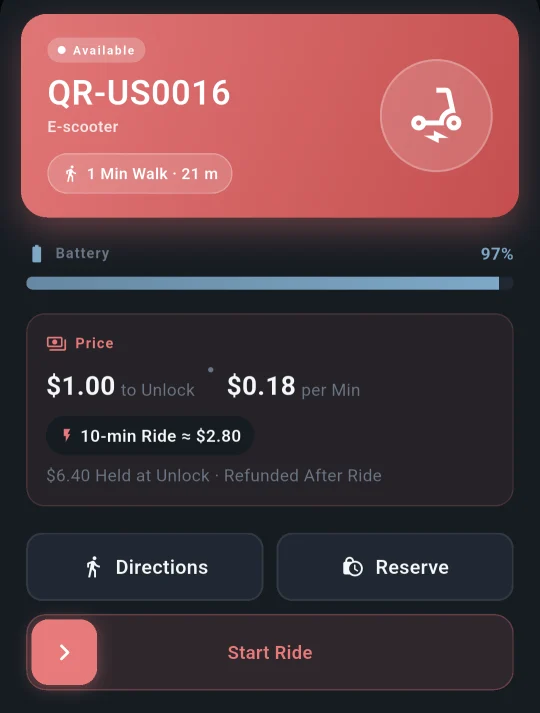
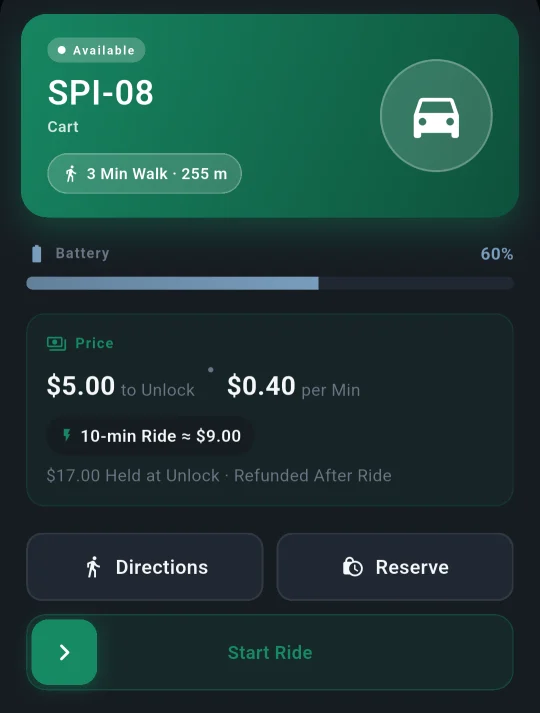
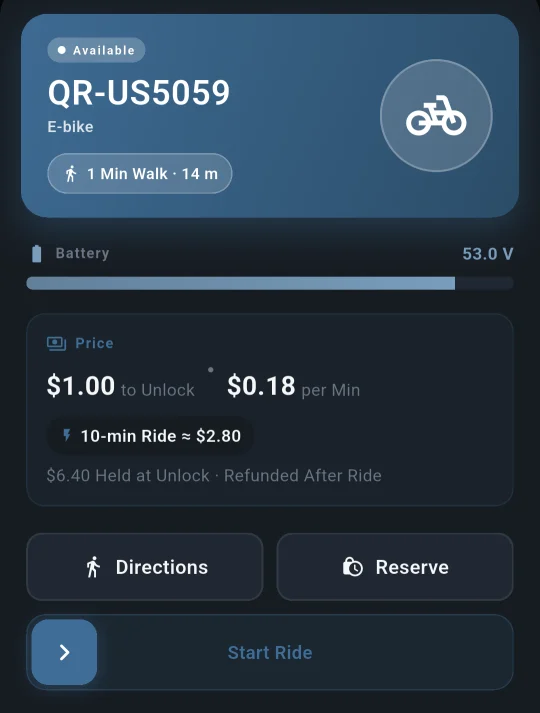
The home screen is a map with a Scan to Ride button, and every vehicle shows its battery, walking distance and fare first.
Map home with Scan to Ride
A vehicle card with the answers
Damaged sticker? Type the code
Hold a vehicle on the way
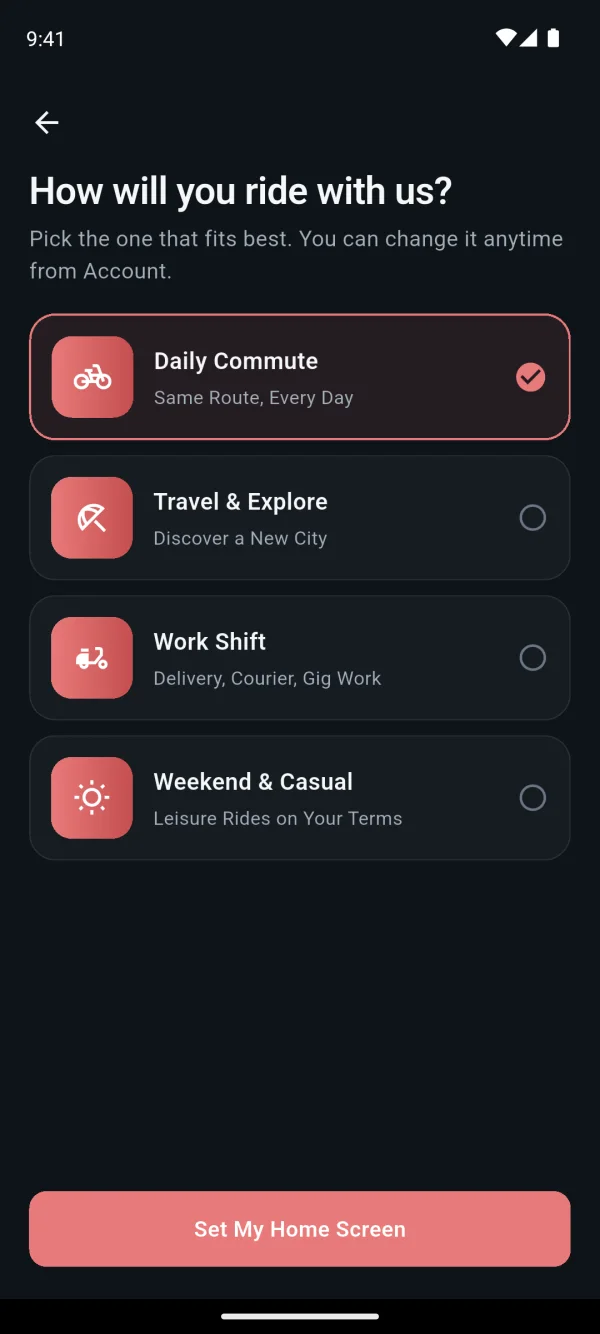
Easy sign-up, with safety checks ready to switch on
The Before You Ride sheet lists every account step still to do, so riders are not surprised halfway through.
Google or Apple sign-in
Invited riders get credit
Before You Ride sheet
ID and selfie check
Helmet photo check
Sobriety check
Easy payments, straight into your own account
Riders pay into your own Stripe account, so you are the seller. When a card is declined, the app offers another way to pay.
Secure card payments
Options when a card fails
Wallet with auto top-up
Refunds riders can follow
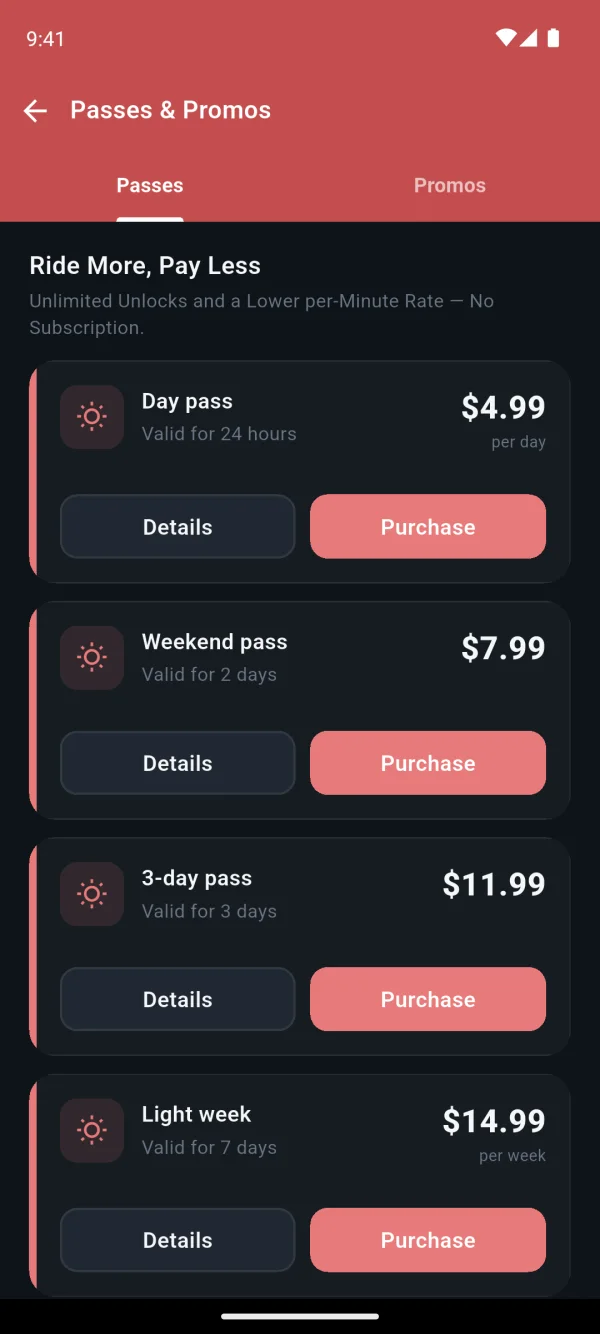
Passes apply on their own
Promo codes


A clear ride screen and no surprises at the end
Riders watch the fare as it grows and see whether they are in a parking zone before they end, so the bill makes sense.
- Live fare, time, distance, speed and battery on the ride screen
- A pause shows only once the vehicle has confirmed it
- A slow-zone banner, so a lower speed is never a surprise
- Group rides for friends, each vehicle billed separately
- Parking status and the nearest parking zone before ending
- A parking photo, then an itemised receipt with the route
Answers without calling you, and help fast when it matters
Riders check their route, receipts and history themselves, and an emergency button is always close.
Ride Replay
Trip history and CSV export
Ratings and a riding score
Emergency button
Updates in their language
Help centre and chat
Shuttle mode for stop-to-stop rides Beta
Where you run self-driving shuttles, the same app lets riders call a cart from a map of stops.
Map of stops
Live cart on the map
Free or flat fare
Shuttle and scooters in one app
Your brand, in your riders' language
Our team builds and publishes your rider app with your name, logo and colours, and riders pay into your Stripe account.
- Your name, logo and colours on iOS and Android
- 8 languages: English, German, Arabic, Spanish, French, Italian, Japanese and Portuguese
- Dark and light mode, for riding by day or night
- Notifications riders switch on or off one by one, plus quiet hours
- Works in weak signal: the ride goes on and catches up later
- Riders can download their data or delete their account themselves
Rider app questions
Works with the rest of Axons Mobility: Intelligence, MCP for AI Apps, AI Assistant, Operator Console, Integrations, Devices and Supported Vehicles.
See PricingWhat is a white-label rider app?
A white-label rider app is a ready-made app for riders that carries the operator's brand instead of the software maker's. Our team builds and publishes the Axons Mobility rider app for iOS and Android with your name, logo and colours, and riders pay into your own Stripe account.
Does the rider app cost extra?
No. The rider app is in every plan, from Neuron at $499 a month with 25 vehicles, 1,000 transactions and 500 new riders included, then $4 a month for each vehicle above 25, with a one-off $1,500 to get started. Building it in your brand and publishing it to both stores costs nothing extra.
Which safety checks can riders do before a ride?
Riders can do an ID and selfie check, a helmet photo check and a short sobriety check. You switch the ID check on for the fleets that need it, the helmet photo is checked on the phone and never leaves it, and a failed sobriety check starts a cooldown you set.
How do riders pay, and where does the money go?
Riders pay by card or from a wallet they top up, and the money goes into your own Stripe account, so you are the seller. Bank approval happens inside the app, and passes and promo codes apply before the ride starts.
Does the rider app work when the mobile signal drops?
Yes. Riders see an offline banner, the ride keeps recording and catches up when the signal returns, and a ride interrupted by the app being closed picks up again.
See Axons Mobility working on your own golf carts
Tell us about your carts and pick a time on the page. In a 30-minute video call we walk you through the console and the rider app, shaped around your fleet. Or try it free for 15 days.
Questions first? Email hello@axonsmobility.com.