Golf cart battery monitoring: no more dead batteries mid-ride
Golf cart battery monitoring shows every cart's charge on a live map, as voltage, percent or bars so a 48 V pack reads true, and raises an alert when a cart drops below the low-battery level you set.
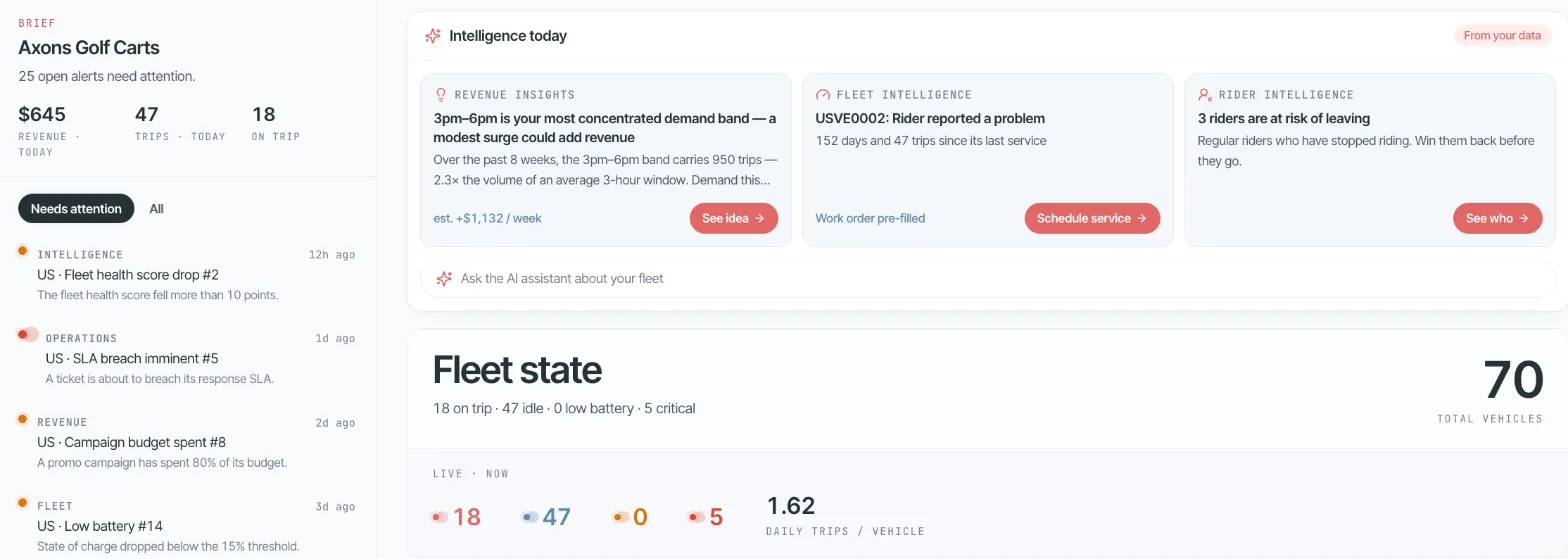
A flat battery is found by the guest, not by the team
48 V carts show correct battery readings, and charging zones show where carts should end the ride. Staff see which carts to charge before a guest finds one flat.
A guest takes a cart that looked fine and it stops halfway. Someone has to fetch the guest and tow the cart back.
Many systems read a 48 V pack like a scooter battery, so the number on screen is wrong and staff stop trusting it.
Where this happens
- Rental shops
- Resorts and holiday parks
- Golf courses
- Campuses
How it works with Axons Mobility
Set how battery shows for each cart type: as voltage, percent or bars, so a 48 V pack reads true.
Set a low-battery level for each cart type.
When a cart drops below it, the alert shows on the console's Home page.
Charging zones on the map show guests and staff where carts should end the ride.
What you switch on
- Battery as voltage, percent or bars, per cart type
- A low-battery level and idle time for each cart type
- Low-battery alerts on the console's Home page
- Charging zones on the map
- Every cart's battery on the live map
- Health score per cart, including battery. See Intelligence
What you need to start
- A connected device that shares battery level or voltage
- The battery type of each cart, for example 48 V
- Your charging spots, drawn as charging zones
Part of golf cart rental software and connected golf carts. Every case works on the connected device on your carts: what a device needs.
Questions about this use case
Does Axons Mobility read 48 V golf cart batteries correctly?
Yes. You set how battery shows for each cart type, as voltage, percent or bars, so a 48 V pack reads true instead of being treated like a small scooter battery.
How do staff know which carts to charge?
Each cart's battery shows on the live map, and a cart that drops below the low-battery level you set for its type raises an alert on the console's Home page.
Can guests see where to leave a cart for charging?
Yes. Charging zones are one of the five zone types you draw on the map, and the app shows guests where carts should end the ride.
More real-world golf cart use cases
- Rent without a deskGuests rent carts after the shop closes: sign up, ID check, unlock and pay in the app.
- Stop carts going where they should notKeep carts off the pool deck and the beach with no-go and speed-limit zones.
- Know when a parked cart movesA theft alert the moment a locked cart starts moving, with the cart on the live map.
- Fix carts before guests noticeHealth scores spot fault patterns, and alerts become pre-filled work orders.
Try it on your own carts, free for 15 days
We set up a private fleet for you. Connect a few carts, set your zones, hours and prices, and see this work before you pay anything.
Questions first? Email hello@axonsmobility.com.